From Distracted to Present: How Workday Notifications Gave Me My Evenings Back
We’ve all been there—sitting down for dinner, only to be pulled back into work by a single alert. I used to carry the weight of unread messages into my nights and weekends, feeling never truly *off*. It wasn’t until I rethought how I managed notifications in my Workday app that things changed. This small shift didn’t just quiet my phone—it restored my focus, my family time, and my peace. What if your work app could support your life, not steal from it?
The Constant Ping That Hijacked My Evenings
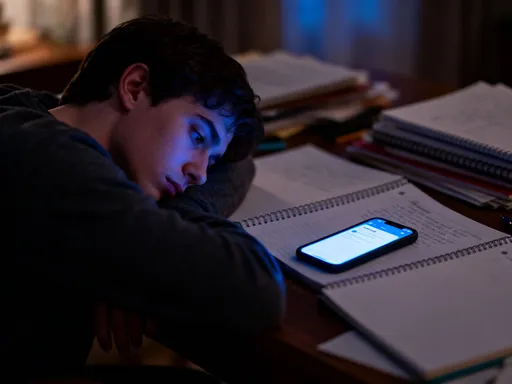
Picture this: I’m at the kitchen table, finally enjoying a warm meal with my kids after a long day. Laughter fills the air as my youngest tells a silly story about her teacher pretending to be a dinosaur during math class. Just as I’m leaning in, really listening, my phone buzzes. Not a text from a friend or a photo from a relative—no, it’s Workday. A meeting reminder. For tomorrow. At 8 p.m. on a Tuesday. My shoulders tense. I glance at the screen. The moment is broken. I mutter an apology and skim the alert, even though I know I don’t need to act on it now. But once that door cracks open, it’s hard to close. The mental shift has already happened. I’m no longer fully there. I’m half in the kitchen, half in tomorrow’s agenda.
This wasn’t a one-time thing. For months, it was my reality. I’d promise myself, *This evening is for us*, only to find my thumb swiping open Workday when I heard that familiar chime. It wasn’t that I was expected to respond after hours—my company doesn’t demand that. But the alerts made it feel like I *should*. Like if I didn’t acknowledge them, something might slip. The guilt crept in. The mental load grew heavier. I started noticing how often I’d miss the little things—a joke, a quiet moment, a chance to really connect—because my mind was already scrolling through tomorrow’s to-dos. The line between work and home didn’t just blur. It vanished.
And it wasn’t just dinner. It was bedtime stories interrupted by approval requests. Weekend plans shadowed by calendar nudges. Even when I was physically present, I wasn’t emotionally there. I’d smile and nod, but part of me was still in that digital inbox, ticking boxes. I began to wonder: when did work become the background noise of my life? When did I stop feeling like I had permission to rest? The truth hit me one night when my daughter asked, 'Mom, why do you always look at your phone when we talk?' That question stayed with me. It wasn’t about the phone. It was about presence. And I realized I was giving mine away—one notification at a time.
Realizing the App Wasn’t the Problem—My Settings Were
The turning point came during a quiet Sunday morning. I was sipping coffee, scrolling through Workday out of habit, not necessity. I noticed something: most of the alerts I’d responded to after hours weren’t urgent. They were updates. Reminders. System-generated pings for things that could wait until Monday. Yet, they all arrived with the same urgency, the same sound, the same red dot demanding attention. That’s when it clicked—the app wasn’t hijacking my time. *My settings were.* Workday wasn’t designed to invade my evenings. I had just let it.
I started paying attention to the types of notifications I was getting. There were three main categories: urgent tasks that required action, routine updates that informed but didn’t need a response, and calendar reminders for meetings that weren’t time-sensitive. The problem? They were all treated the same. A critical deadline alert and a payroll update notification looked identical on my screen. One needed my immediate attention. The other could wait three days. But because I hadn’t set any boundaries, my brain reacted to both the same way—with a little jolt of stress.
That’s when I realized customization isn’t just about convenience. It’s about care. Taking control of my notifications wasn’t a tech tweak. It was a decision to protect my mental space. It was saying, 'My evenings matter. My family time matters. And I don’t have to be available just because a machine says so.' I didn’t need to delete the app or quit my job. I just needed to use it differently. The tools were already there. I just hadn’t used them. And once I did, the change wasn’t just in my phone. It was in my peace of mind.
Taking Control: My First Step to Notification Clarity
So, I decided to take a closer look at my Workday settings. I’ll admit, at first, it felt a little intimidating. I’m not a tech expert. I don’t speak 'code.' But I reminded myself: this isn’t about being a genius. It’s about being intentional. And the process turned out to be much simpler than I thought.
I opened the Workday app, tapped the menu in the top corner, and scrolled down to 'Preferences.' From there, I found 'Notifications.' At first glance, it looked overwhelming—lists of alerts, checkboxes, options for email, push, and SMS. But I took it one section at a time. I started with 'Task Notifications.' I asked myself: which of these truly need to reach me after work hours? Which ones can wait until tomorrow? I realized I didn’t need to be alerted about every single task update. Only the ones that required my action *now*. So, I turned off alerts for routine approvals, non-urgent requests, and system-generated messages. I kept the ones for time-sensitive items—like when I was assigned a critical project task or needed to approve something before a deadline.
The relief was instant. Just knowing I wouldn’t be disturbed by low-priority pings gave me a sense of calm. I wasn’t ignoring my responsibilities. I was prioritizing them. And I set a rule for myself: I’d check Workday once in the morning and once at the end of my workday. Outside of those times, unless it was a true emergency, I wouldn’t open it. This wasn’t about being lazy. It was about being present. I started telling myself, 'You’ve earned your evenings. Protect them.' And with each setting I adjusted, that belief grew stronger.
What I Turned Off (And Why It Felt Like Freedom)
Let me tell you what I silenced—and how good it felt. First, I turned off after-hours alerts for approval reminders. I realized that if someone needed my approval on a timesheet or a purchase request, it could wait until the next business day. If it was truly urgent, they’d call or email. But most weren’t. Yet, every evening, I’d get that little buzz, and my brain would kick into work mode. No more. I also disabled notifications for routine system updates—things like payroll processing confirmations or training module completions. These are useful, yes, but not urgent. I don’t need to know at 8 p.m. that someone finished an online course. That’s information for my workday, not my family time.
I also muted calendar reminders for low-priority meetings. I used to get alerts 24 hours and 1 hour before every meeting, even if it was just a weekly team check-in. Now, I only get reminders for high-stakes meetings or those that require prep. For everything else, I trust my calendar. I review it each morning. That small change reduced the noise significantly. And you know what? Nothing fell through the cracks. In fact, I was more organized because I was reviewing my schedule with focus, not reacting to pings.
Another big one was turning off notifications for colleague task updates—like when someone else completed a step in a shared process. I don’t need to know the second that happens. I can check the status when it’s relevant to me. Silencing these gave me back mental space. I stopped feeling like I had to monitor everything in real time. I finally stopped getting buzzed for payroll updates at 8 p.m. and actually finished watching my daughter’s school play without pulling out my phone. That night, I felt something I hadn’t in a long time: free.
What I Kept—and How It Actually Helped
Now, I didn’t turn everything off. That wouldn’t be responsible—or realistic. I kept the notifications that truly added value. For example, I still get alerts when my time-off request is approved. That’s meaningful. It’s personal. It affects my life outside of work. I also kept notifications for urgent task assignments, especially those with tight deadlines. If my manager assigns me something that needs to be done by noon tomorrow, I want to know—so I can plan accordingly. These alerts aren’t intrusions. They’re information I need, delivered at the right time.
I also set up exceptions for true emergencies. My team knows that if something urgent comes up after hours, they can call or send a direct message through our secure chat system. That way, I’m not left in the dark, but I’m not on constant alert either. This balance gave me peace of mind. I wasn’t avoiding responsibility. I was redefining how I engaged with it. I started to trust the system more because it only spoke when it really mattered. And that made me more responsive during work hours, not less. When I did get a notification, I knew it was important. I didn’t have to wonder if it was just another routine update.
This shift also improved my relationship with my team. I was clearer about my boundaries, and they respected them. In fact, a few colleagues asked how I’d become so calm and focused. When I shared what I’d done, two of them made similar changes. We even started a small chat thread where we share tips on managing digital workload. It turned into a quiet movement of intentionality. We weren’t rejecting technology. We were using it in a way that served us, not the other way around.
The Ripple Effect: Calmer Mornings, Better Focus, Fuller Evenings
The changes didn’t just improve my evenings. They transformed my entire rhythm. I started waking up with less anxiety. No more dreading the flood of unread messages. I’d check Workday once, calmly, during my morning routine. Because I wasn’t reacting to constant pings, I could focus on my tasks with clarity. I found I was completing reports faster, making fewer errors, and feeling more in control. The mental clutter had lifted.
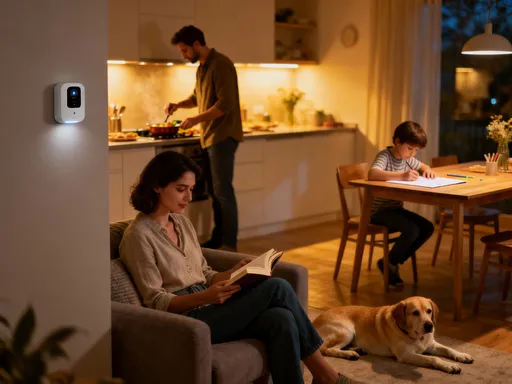
At home, the difference was even more profound. I was present. Really present. I listened more. Laughed more. I even started a small evening ritual—putting my phone in another room during dinner and leaving it there until the kids were in bed. We played board games. We talked about our days. I noticed my daughter started sharing more, opening up in ways she hadn’t before. She knew I was listening. And I was.
One night, I finished a work project earlier than expected—not because I worked late, but because I’d been so focused during the day. I used that extra hour to help my son with his science project. We built a volcano together, complete with baking soda and vinegar. As we watched it bubble over, he looked at me and said, 'This is the best night ever.' In that moment, I realized something: technology had given me back time. Not by doing more, but by asking less. By respecting my boundaries, it allowed me to show up—not just as an employee, but as a mom, a partner, a person.
A New Normal: Designing Tech That Serves My Life
This journey taught me a powerful lesson: small changes can create big shifts. I didn’t need a new app or a fancy tool. I just needed to use the one I already had—with intention. Notification settings aren’t just a menu to ignore. They’re a design choice. And you get to decide what kind of life you want to design.
Technology should support us, not steal from us. It should help us be more efficient so we can be more present. It should protect our time, not demand all of it. And the good news? You don’t have to be a tech whiz to make this happen. You just have to care enough about your time to adjust a few settings. Start today. Open your Workday app. Go to Preferences. Look at your notifications. Ask yourself: which ones serve me? Which ones drain me? Then make your choices. Silence the noise. Keep what matters.
When you do, you might find, like I did, that peace isn’t something you find. It’s something you create. One setting at a time. Your evenings—and your family—are worth protecting. And your work app? It can be part of the solution, not the problem.