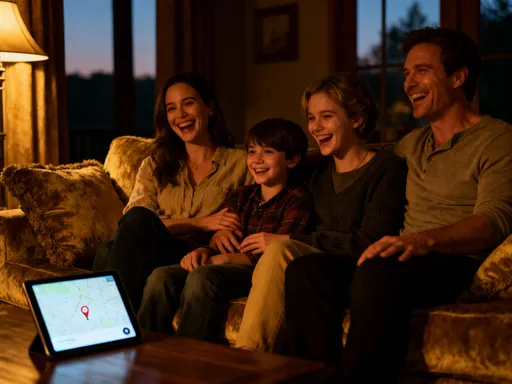
More than alerts: Travel safety tech that actually calms my nerves on every trip
You know that knot in your stomach when you land in a new city, luggage in hand, not sure what comes next? I used to dread it—until I discovered how simple tech tools could quietly guard my journey. It’s not about fancy gadgets; it’s about feeling grounded, even when I’m miles from home. These aren’t just reminders—they’re quiet companions that help me move freely, safely, and with real peace of mind. I’m not a tech expert, but I am a woman who travels alone more than I ever thought I would—for work, for family visits, and yes, sometimes just for me. And over the years, I’ve learned that feeling safe isn’t about avoiding travel. It’s about equipping myself with tools that let me say “yes” to new experiences without holding my breath.
The Moment I Realized I Wasn’t Really Safe
It was 11 p.m. in Bucharest, and I had just stepped off a delayed flight with one carry-on and a growing sense of panic. My hotel confirmation was in my inbox, but my phone was at 12 percent, and I didn’t speak Romanian. The airport shuttle I’d read about online wasn’t running that night, and the taxi line looked chaotic—drivers waving, no meters, and no clear pricing. I remember clutching my bag tighter as one man approached me too quickly, asking in broken English if I needed a ride. I said no, but my voice wavered. I wasn’t in danger, not exactly, but I felt completely exposed.
That night, I made it to my hotel—safe, but shaken. I called my sister and burst into tears. Not because anything terrible had happened, but because I had no backup plan. No one knew my exact route. No one had my hotel address. I was relying on memory, hope, and a fading battery. That trip was a wake-up call. I realized I’d been treating safety like something I could wing, like packing or choosing an outfit. But safety isn’t optional. It’s the foundation of every good trip.
So I started asking myself: What if I could have arrived with a plan already in place? What if my phone could quietly share my location with someone I trust? What if I had offline maps, emergency numbers, and a way to signal for help without drawing attention? I didn’t want to become paranoid—I just wanted to feel calm. And that’s when I began exploring how everyday technology could do more than entertain me. It could protect me.
How My Phone Became My Travel Guardian (Without Draining the Battery)
Let’s be honest—most of us already carry the most powerful safety tool we’ll ever need: our smartphone. But so many of us use it only for photos, messaging, and navigation when the Wi-Fi works. I used to be the same. Then I learned how to turn my phone into a silent guardian—one that doesn’t need constant charging or a perfect signal to help me.
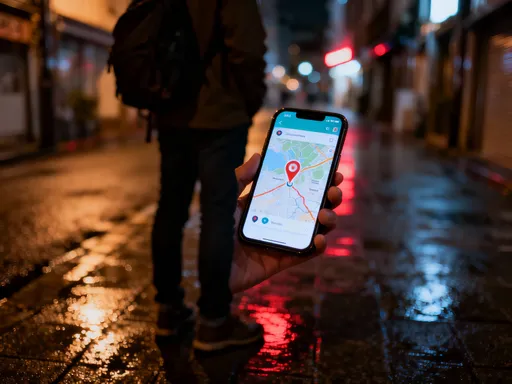
Before my next trip, I spent an hour setting up a few simple features. First, I enabled location sharing with my sister in the family sharing settings on my iPhone. It only takes a few taps, and I can turn it off anytime. I showed her how to check my location if she ever worries, but it’s not constant surveillance—just peace of mind for both of us. I also downloaded offline maps for Google Maps in the cities I was visiting. That meant I could still see where I was, find walking directions, and locate nearby pharmacies or metro stations even with no data connection.
Another game-changer? Setting up emergency SOS with my local number. In many countries, you can call emergency services by pressing the power button quickly five times (or another method, depending on your phone model). I tested it at home first, of course, so I knew how it worked. I also saved the local emergency number as a contact labeled “ICE Romania” so I could find it fast if needed. And I kept my phone in low-power mode during long transit days to stretch the battery.
These aren’t flashy tools. They don’t require downloads or subscriptions. But together, they made me feel like I had a safety net. I wasn’t just reacting to problems—I was prepared for them. And that small shift made all the difference.
The Little App That Keeps My Family in the Loop (Without the Nagging)
My mom is loving, but she worries. Every time I travel, she texts me the same questions: “Are you there?” “Are you safe?” “Did you eat?” I get it—she just wants to know I’m okay. But constant check-ins started to feel heavy, like I was being watched instead of loved. I didn’t want to stop her from caring, but I did want to reduce the anxiety on both ends.
Then I discovered a simple app called Life360. I know the name sounds a little intense, but it’s actually gentle and practical. I invited my mom and sister to join a private family circle. Once we’re connected, they can see when I arrive at my hotel, when I leave, and when I get back. No need for me to text “Landed safely!” every time. The app does it for me, quietly and automatically.
What surprised me was how much it helped them relax. My mom told me, “I don’t feel the need to text you as much because I can just glance at the app.” And for me, it wasn’t about being tracked—it was about giving them reassurance so they could stop worrying. It deepened our trust. I wasn’t hiding anything; I was including them in a small, safe way.
The best part? I control everything. I can pause location sharing during personal time or when I’m exploring alone. It’s not about surveillance—it’s about connection. And honestly, knowing they can see I’m safe gives me more freedom, not less. I can focus on my trip instead of managing their anxiety.
When My Bag Went Missing—And How Tech Brought It Back
Last winter, I flew from Vienna to Florence for a weekend getaway. Everything went smoothly until I reached the baggage carousel and realized my suitcase wasn’t there. I waited. I checked the lost luggage desk. I filled out forms. By the time I got to my hotel, I was stressed—not just about the inconvenience, but about my medications, my winter coat, and my favorite pair of walking shoes.
But then I remembered: I had slipped a small Tile tracker inside the lining of my suitcase before I left. It was less than $30, about the size of a key fob, and I almost didn’t bring it, thinking it was overkill. But that little device changed everything.
Once I settled into my hotel, I opened the Tile app and saw a blinking dot on the map—my bag was still at the Vienna airport, near baggage claim. The app showed it had moved slightly since my flight landed, which meant it wasn’t lost forever. I called the airline with the exact location, and they found it within an hour. By the next morning, it was on a flight to Florence.
I was so relieved. That small tracker saved me hours of stress, potential replacement costs, and the fear of losing important items. Since then, I’ve put one in every checked bag. I also keep one in my purse, just in case I leave it in a café or taxi.
Choosing a tracker is easy: look for one with a long battery life, a loud ring, and a reliable app. Tile and Apple AirTag are popular, but any well-reviewed Bluetooth tracker will work. Just make sure it’s small enough to hide and secure enough that it won’t fall out. And don’t forget to test it at home before you go. It’s a tiny step that brings huge peace of mind.
Staying Aware Without Feeling Paranoid
I don’t want to travel in fear. I don’t want to avoid cities or neighborhoods because of exaggerated stories online. But I also don’t want to be naive. There’s a middle ground—one where I stay informed without letting anxiety take the wheel. That’s where smart, low-pressure tech tools come in.
One of my favorites is the local safety app Safeture. It’s not alarmist. Instead, it sends calm, factual updates about things like local strikes, weather warnings, or changes in public transit. When I was in Athens, it alerted me that a metro line was delayed due to maintenance. That simple heads-up helped me choose a different route and avoid getting stranded.
I also use Google Maps to check neighborhood safety before I book a hotel. I look at the street view, see how well-lit the area is at night, and read recent reviews that mention safety. If I’m walking somewhere after dark, I use the app to avoid poorly lit shortcuts. It’s not about being scared—it’s about being smart.
Another trick? I keep local taxi apps like Bolt or Free Now on my phone so I don’t have to hail cabs on the street. I can see the driver’s photo, license plate, and route in real time. I even share the ride with a family member, so someone knows exactly where I am.
These tools don’t make me paranoid. They make me prepared. And there’s a big difference. I still talk to strangers, explore side streets, and say yes to invitations. But now, I do it with awareness, not blind trust. Tech helps me stay balanced—cautious enough to be safe, confident enough to enjoy.
The Offline Backup That Saved My Trip
Rain poured down for three days in Lisbon. No big deal, except that my hotel’s Wi-Fi kept cutting out, and I had no data plan. I needed to check in for my flight home, but I couldn’t access my email. My passport was in my bag, but I needed a copy for a visa extension question at the airport. I started to panic—until I remembered my offline folder.
Before every trip, I now create a password-protected PDF with scanned copies of my passport, visa, driver’s license, travel insurance, hotel confirmations, and emergency contacts. I save it to my phone’s files and email it to myself as a backup. I also keep a printed copy in my wallet, just in case.
That rainy afternoon, I opened the folder, showed the agent my digital passport copy, and accessed my boarding pass through the airline’s app—all without Wi-Fi. It was a small thing, but it saved me from missing my flight or paying extra fees.
Setting this up takes less than 20 minutes. I use my phone’s camera to scan documents, then combine them into one file using a free app like Adobe Scan or Notes. I name it something neutral like “Travel Docs” and protect it with a password I can remember. I don’t store it in the cloud unless it’s encrypted. Privacy matters, especially when you’re abroad.
This habit has become non-negotiable. I don’t travel without it. It’s not just about emergencies—it’s about dignity. I want to handle problems calmly, not frantically. And having my documents ready, even offline, gives me that control.
Why This Isn’t Just About Safety—It’s About Freedom
I used to think that feeling safe meant staying close to home, sticking to familiar places, and avoiding risks. But over time, I’ve learned the opposite is true. Real safety—the kind that comes from preparation and support—actually gives me more freedom, not less.
When I know my phone is set up, my family is informed, and my documents are secure, I can let go of the background worry. That’s when the magic happens. I’m the one who asks the shopkeeper for recommendations. I’m the one who takes the scenic train route instead of the direct bus. I’m the one who says “yes” to dinner with new friends, even if it’s late.
Technology doesn’t replace human judgment or intuition. But it does amplify them. It gives me confidence to trust my instincts because I have backup plans. It lets me be present because I’m not constantly checking my mental list of “what ifs.”
I’ve also noticed something unexpected: these tools have made me more connected to the people I love. Instead of calling them in distress, I share little updates through location check-ins or quick photos. They feel involved, and I feel supported. It’s not about control—it’s about care.
And honestly? I sleep better. Not just because I’m safer, but because I’m calmer. I don’t lie awake wondering if I locked the door back home or if my bag is really lost. I know I have systems in place. And that calmness follows me into every part of my trip.
So no, this isn’t about fear. It’s about empowerment. It’s about showing up as my full self—curious, open, and unafraid—because I’ve taken care of the little things.
Looking back, it’s clear: these tools didn’t just protect me—they changed how I experience travel. I’m not just safer; I’m more present, more curious, more free. And that’s the real win. Because when the little things are handled, the big joys can finally shine.